How Many Instagram Accounts Can You Have?

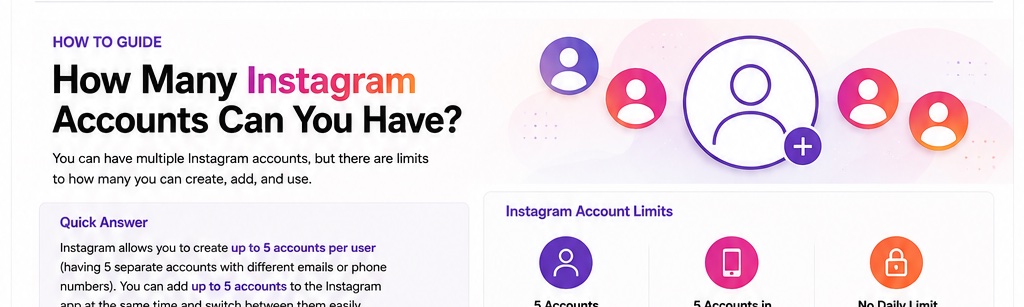
Instagram lets you add and switch between up to five accounts in the Instagram app without logging out each time. This limit is best understood as the number of accounts you can keep added to the app for convenient switching, rather than a universal rule that one person can never create more than five Instagram profiles.
How Many Instagram Accounts Can You Have?
You can keep up to five Instagram accounts added to the app and switch between them from the same device. This is useful if you manage a personal profile, a business account, a creator account, a side project, or another brand profile. Each account remains separate, with its own username, profile, followers, messages, settings, and content.
Instagram Account Limit at a Glance
| Question | Practical answer | What it means |
|---|---|---|
| How many accounts can be added to the Instagram app? | Up to 5 | You can switch among these accounts without logging out each time. |
| Do the accounts share one profile? | No | Every Instagram account has its own profile and content. |
| Can business and personal accounts be mixed? | Yes | The added accounts can serve different purposes. |
| Do you need to log out to switch? | No | Use Instagram's account switcher for accounts already added to the app. |
How to Add Multiple Instagram Accounts
You can add another account from your profile area and then keep it available in Instagram's account switcher. Menu wording can vary slightly between app versions, but the process generally follows the steps below.
Step 1: Open Your Instagram Profile
Open Instagram and tap your profile picture in the bottom-right corner. Make sure you are already signed into one of the accounts you want to keep on the device.
Step 2: Open the Account Menu
Open the profile menu or account switcher. Depending on the app version, you may see your username at the top of the profile or an option within Settings and activity.
Step 3: Choose Add Account
Select Add account. Instagram may let you create a new account or log into an existing one. Choose the option that matches what you want to do.
Step 4: Log Into the Additional Account
Enter the username, email address, or phone number and password for the additional Instagram account. After a successful login, the account becomes available in the account switcher.
How to Switch Between Instagram Accounts
Once multiple accounts are added, you can switch between them without entering the password every time. Open your profile and use the account selector near your username, then choose the account you want to use. Before posting, commenting, sending a message, or changing settings, check the active username so you do not perform an action from the wrong profile.
Can You Have More Than Five Instagram Accounts?
The five-account figure applies to accounts kept added in the Instagram app for quick switching. If you manage more profiles, you may need to log out of one account before adding another, or manage different accounts through another device or an appropriate Meta business workflow. Avoid rapidly creating or accessing large numbers of accounts in ways that could look automated or abusive.
Can You Have Multiple Instagram Accounts With the Same Email?
Do not assume that every account can rely on exactly the same recovery details. For reliable account recovery, keep each profile's login and recovery information accurate and make sure you know which email address or phone number is connected to each account. This becomes especially important when you manage several profiles.
Can You Have Personal, Creator, and Business Accounts on the Same Phone?
Yes. The accounts added to your Instagram app do not all need to serve the same purpose. For example, you might keep a personal profile, a creator account, and one or more business profiles on the same phone, as long as you stay within the app's account-switching limit.
Are Multiple Instagram Accounts Linked to Each Other Publicly?
Adding several accounts to the same app does not automatically place a public label on the profiles saying they belong to the same person. However, your own activity, contact syncing, connected Meta services, cross-posting choices, or information you publish can still create connections between accounts. Review privacy and Accounts Center settings if separation matters to you.
Do Multiple Instagram Accounts Share Followers or Messages?
No. Followers, following lists, posts, Reels, messages, notifications, and most profile settings belong to the individual account. Switching accounts changes which profile you are acting as; it does not merge the accounts or combine their audiences.
How Notifications Work With Multiple Instagram Accounts
You can receive notifications from more than one account on the same phone. If notifications become confusing, review notification settings for each profile individually. For people managing business and personal accounts together, customizing notifications can make it easier to separate urgent messages from less important activity.
Tips for Managing Multiple Instagram Accounts
- Check the active username before publishing a post, Story, Reel, comment, or direct message.
- Use different, strong passwords for important accounts instead of reusing one password everywhere.
- Enable two-factor authentication on accounts that contain important personal or business data.
- Keep recovery email addresses and phone numbers current.
- Use clear profile photos and usernames so accounts are easy to distinguish in the switcher.
- Review login activity periodically and remove devices you do not recognize.
What Happens When You Remove One Account From the App?
Removing or logging out of one account on your phone does not normally delete that Instagram account. It simply removes access to that profile from the current app session or device, depending on the option you choose. You can sign back in later if you still have the correct login credentials.
FAQ
How many Instagram accounts can I have on one phone?
Instagram supports adding up to five accounts in the app for convenient switching.
Can I switch between Instagram accounts without logging out?
Yes. Accounts already added to the app can be selected through the account switcher.
Can I have five business Instagram accounts?
The accounts added to the app can include business, creator, and personal profiles. The important limit is the number of accounts kept added for switching.
Will my Instagram accounts share the same followers?
No. Each account has its own followers, following list, posts, messages, and profile information.
Can people see that I have multiple Instagram accounts?
Instagram does not simply display a public list of every profile added to your app, but your activity and connected information can still reveal relationships between accounts.
What should I do if I need to manage more than five accounts?
You may need to log out of an account before adding another, use another device, or use suitable Meta business management tools depending on your workflow.
Final Takeaway
Instagram lets you keep up to five accounts added to the app and switch between them without repeatedly logging out. That makes it practical to manage personal, creator, and business profiles from one phone. If you handle several accounts, keep login details organized, secure each profile separately, and always check which account is active before posting.